Microsoft was planning at scale with fragmented tools.
Resource managers were responsible for matching skilled people to high-stakes projects across the company. The work demanded real-time visibility across teams, programs, and timelines, but the underlying systems were never built for it. Decisions were made on stale data: exported into spreadsheets, manually consolidated, and shared as static reports.
Fragmented data sources
Capacity, availability, and timelines lived in separate tools. No unified view of organizational resource state.
Manual consolidation overhead
Significant hours per week spent aggregating data from multiple sources before any planning could begin.
Reactive, not predictive
Static reporting meant managers responded to problems after they emerged, with no forecasting layer for proactive planning.
Low decision confidence
Stale data and inconsistent terminology across roles created collaboration friction and delayed critical staffing calls.
Tools and spreadsheets in the existing workflow.
Every planning cycle began with manually consolidating data from over a dozen sources, before a single decision could be made. The cost wasn't just hours; it was confidence in the data itself.
Grounding the brief in real workflows.
A staffing research study with 25+ Resource Managers, paired with competitive analysis of enterprise planning platforms. The goal was to understand how staffing actually happens at Microsoft's scale, not how it's documented in process diagrams.
Three insights that shaped every decision.
Resource Managers needed quick utilization summaries far more often than deep data exploration. The default state had to be glanceable, with depth on demand.
Decision-makers valued forecasting over historical reporting. The system needed to surface what was coming, not just what had happened.
Inconsistent terminology across roles was a hidden cost of fragmentation. Unifying the vocabulary was as important as unifying the data.
A unified, intelligent workbench that replaces fragmented tooling with
real-time visibility, predictive insight, and flexible workflows.
Four principles that shaped the system.
Research insights translated into principles that guided every interface decision. Each was tested against real workflows before being committed to the design system.
Surface key signals without overwhelming users. Default to summary; reveal depth on intent. The cost of feature density was always measured against decision speed.
Prioritize forward-looking insights over static data. Forecasting was layered into the same views as historical reporting, not separated as a different mode.
Make ownership, status, and context clear across stakeholders. No more side conversations about who's working on what. The system became the source of truth.
Support real-world staffing scenarios, not rigid process flows. Edge cases were treated as first-class citizens, not exceptions to handle later.
A unified workbench, built on Fluent UI.
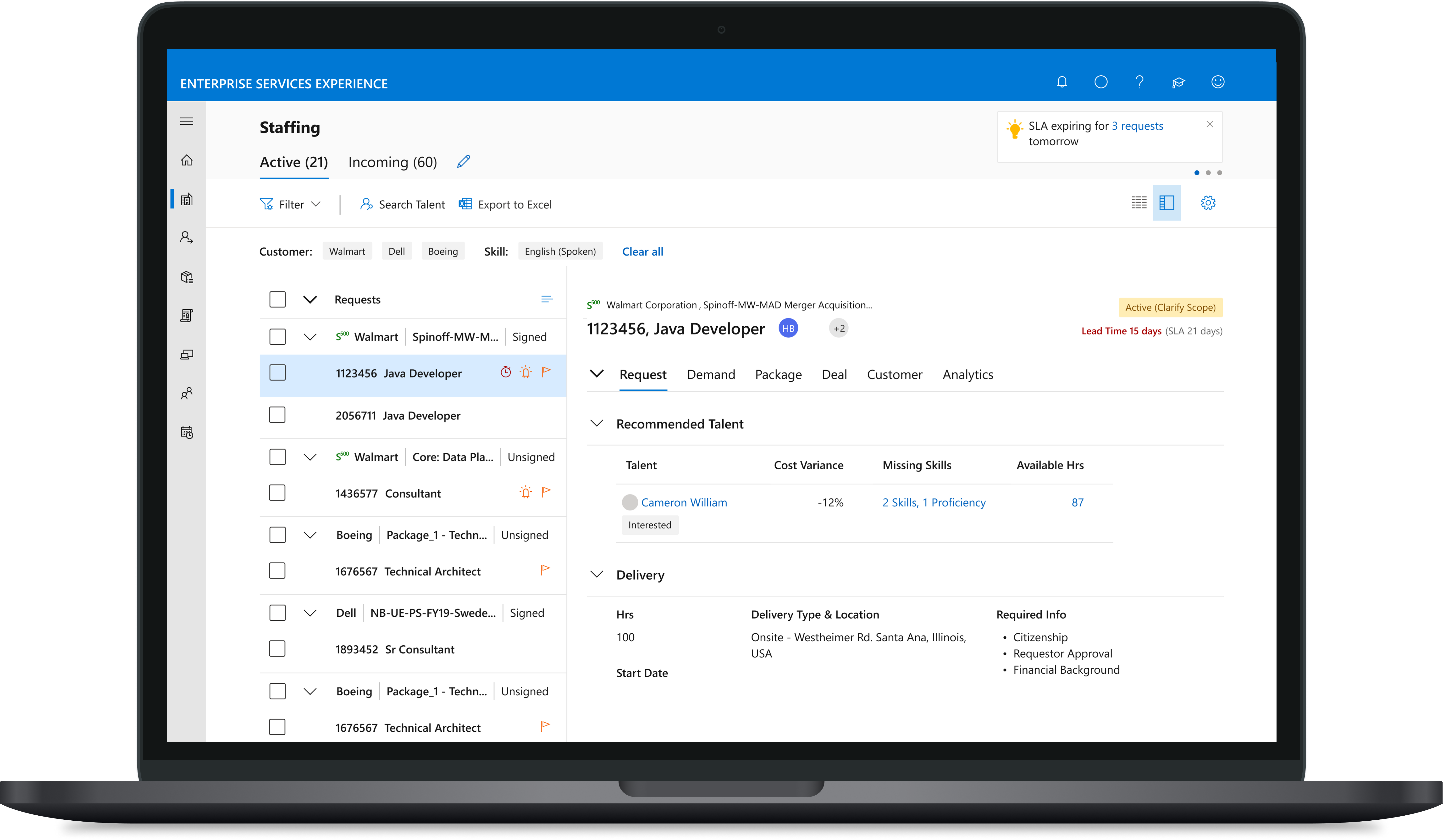
The Resource Manager Workbench replaced fragmented spreadsheets with an integrated dashboard for capacity planning, workload visualization, scheduling, and project tracking. Built on Microsoft's Fluent UI, it aligns with enterprise accessibility standards and scales across teams worldwide.
Built for the way Resource Managers actually work.
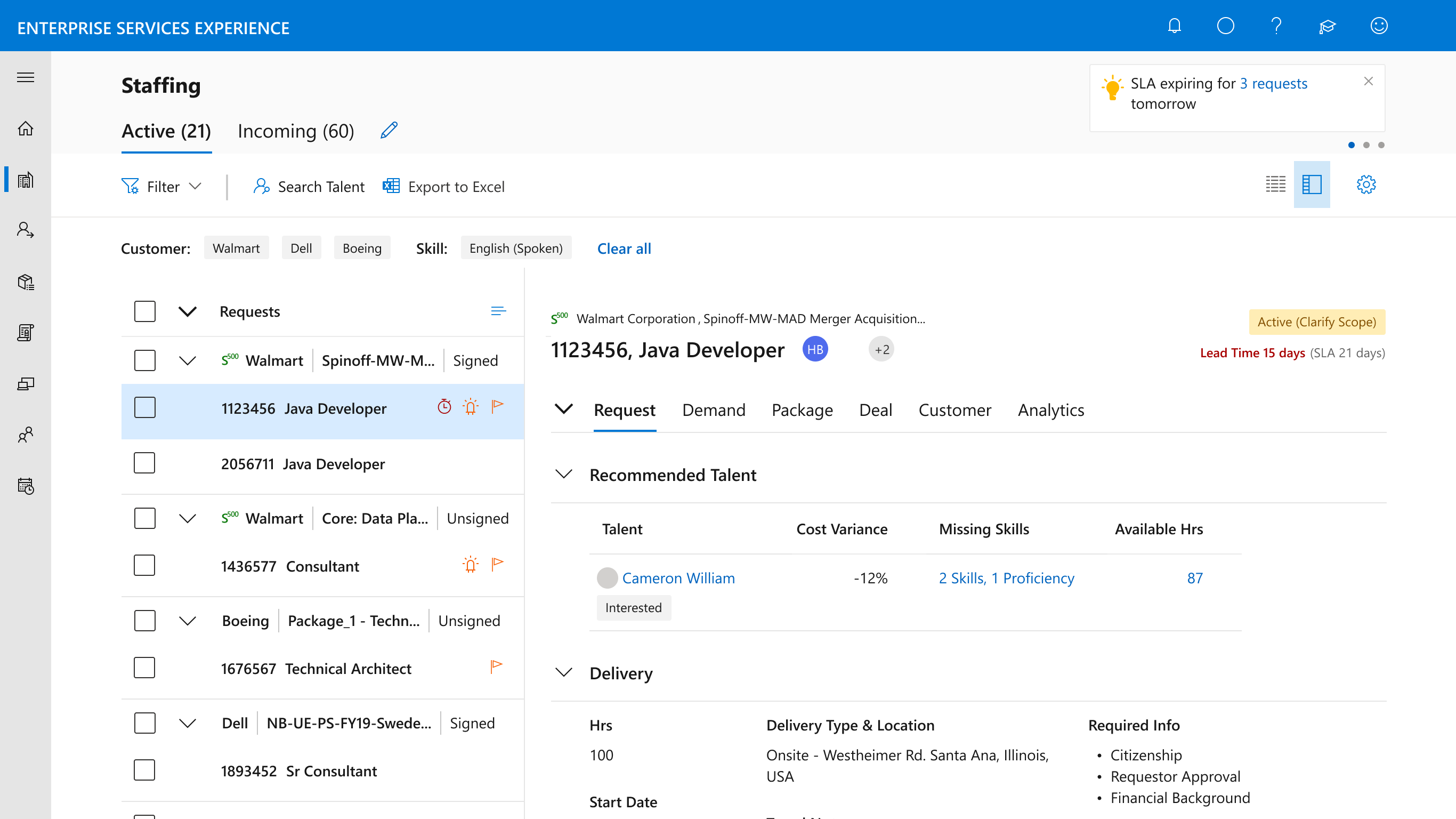
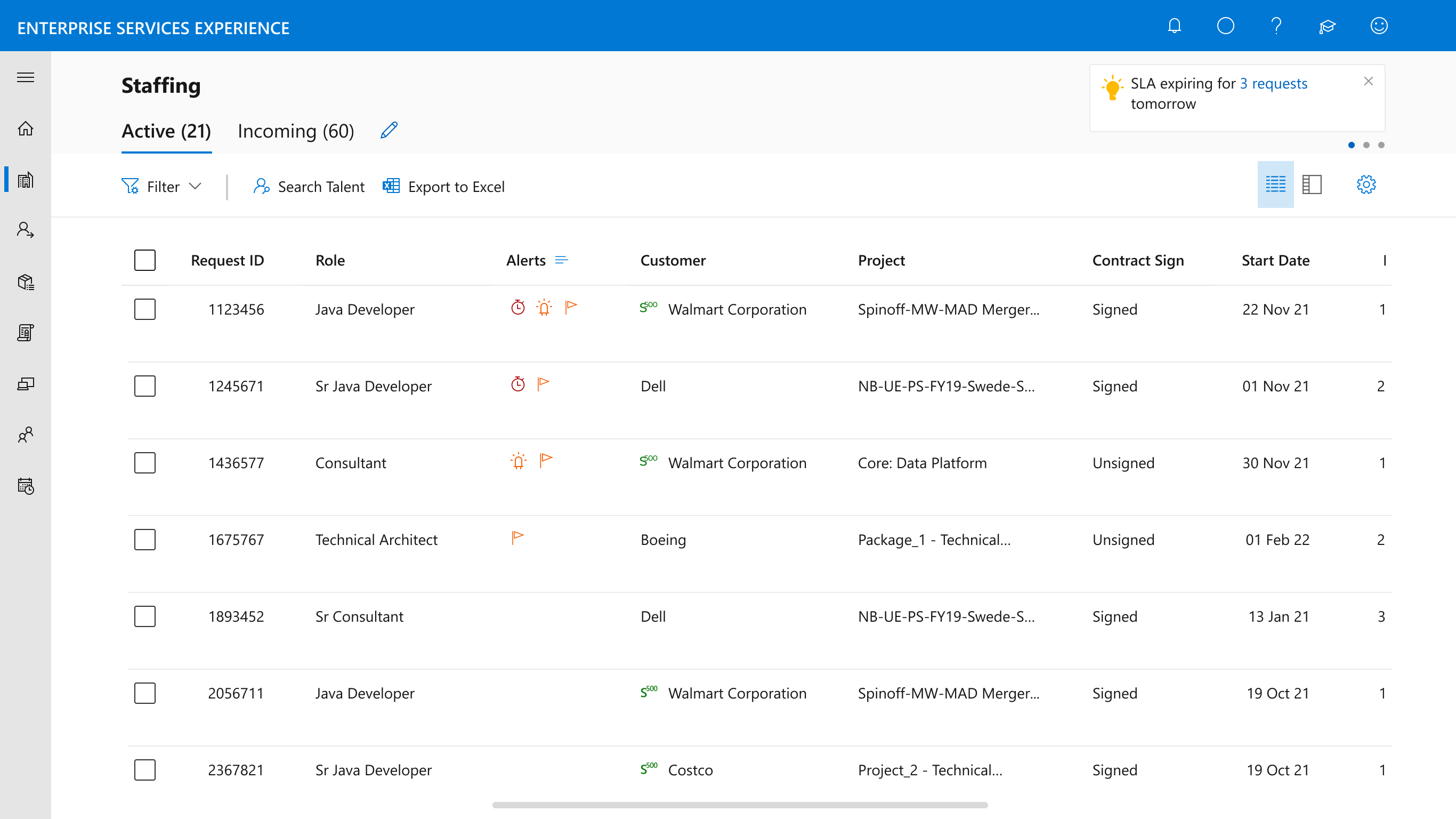
Dual layout views
Two complementary layouts support both high-level planning and detailed execution. Managers move between strategic overviews and granular request handling without losing context.
- Summary view for capacity and utilization at a glance
- Detail view for individual request workflows
- State preserved across view switches
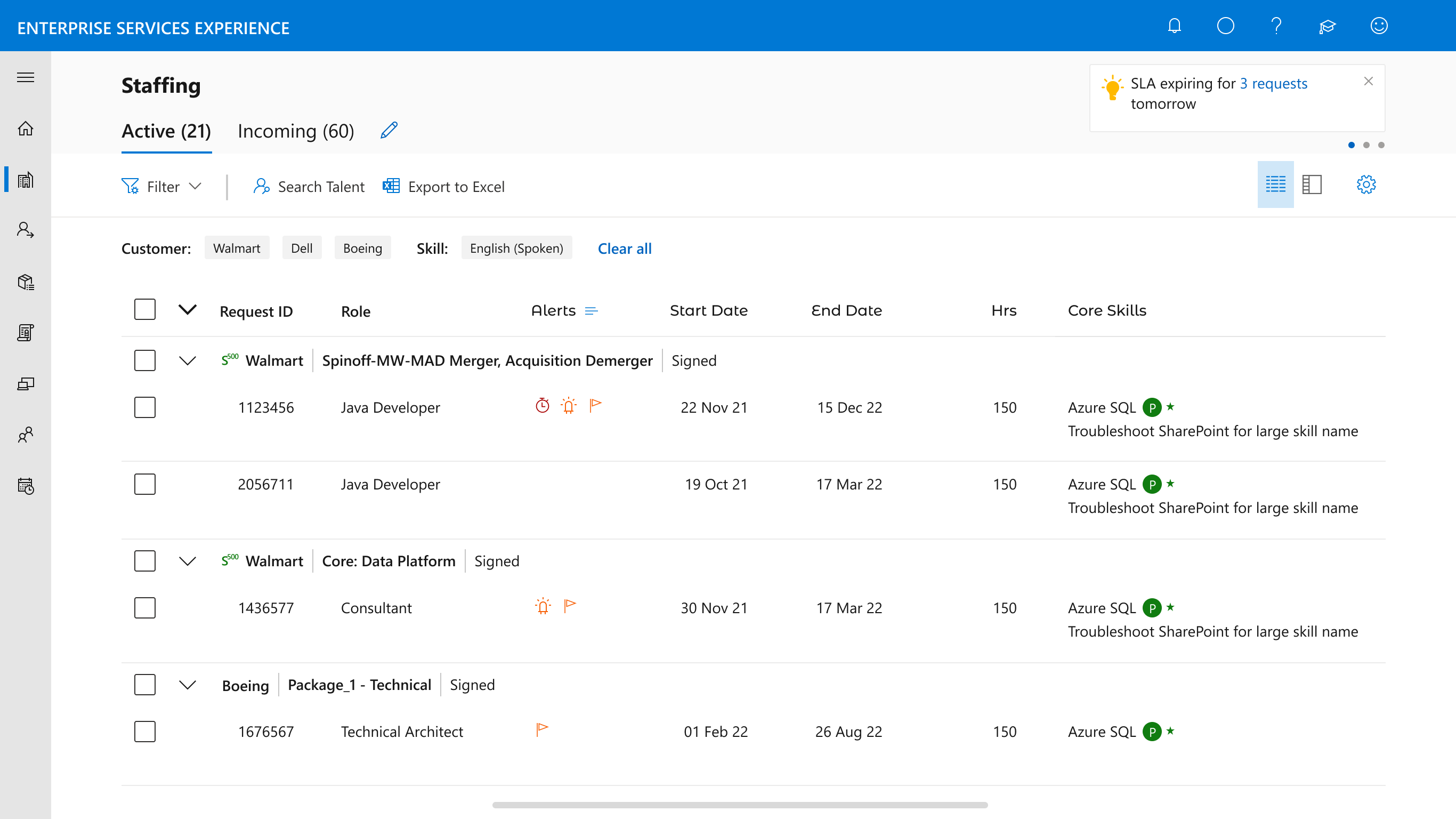
Request grouping
Requests group by project, customer, or priority, letting managers organize their queues around how they naturally think about the work, not how the data is structured.
- Group by project, customer, or priority
- Custom sorting within each group
- Persistent grouping preferences per user
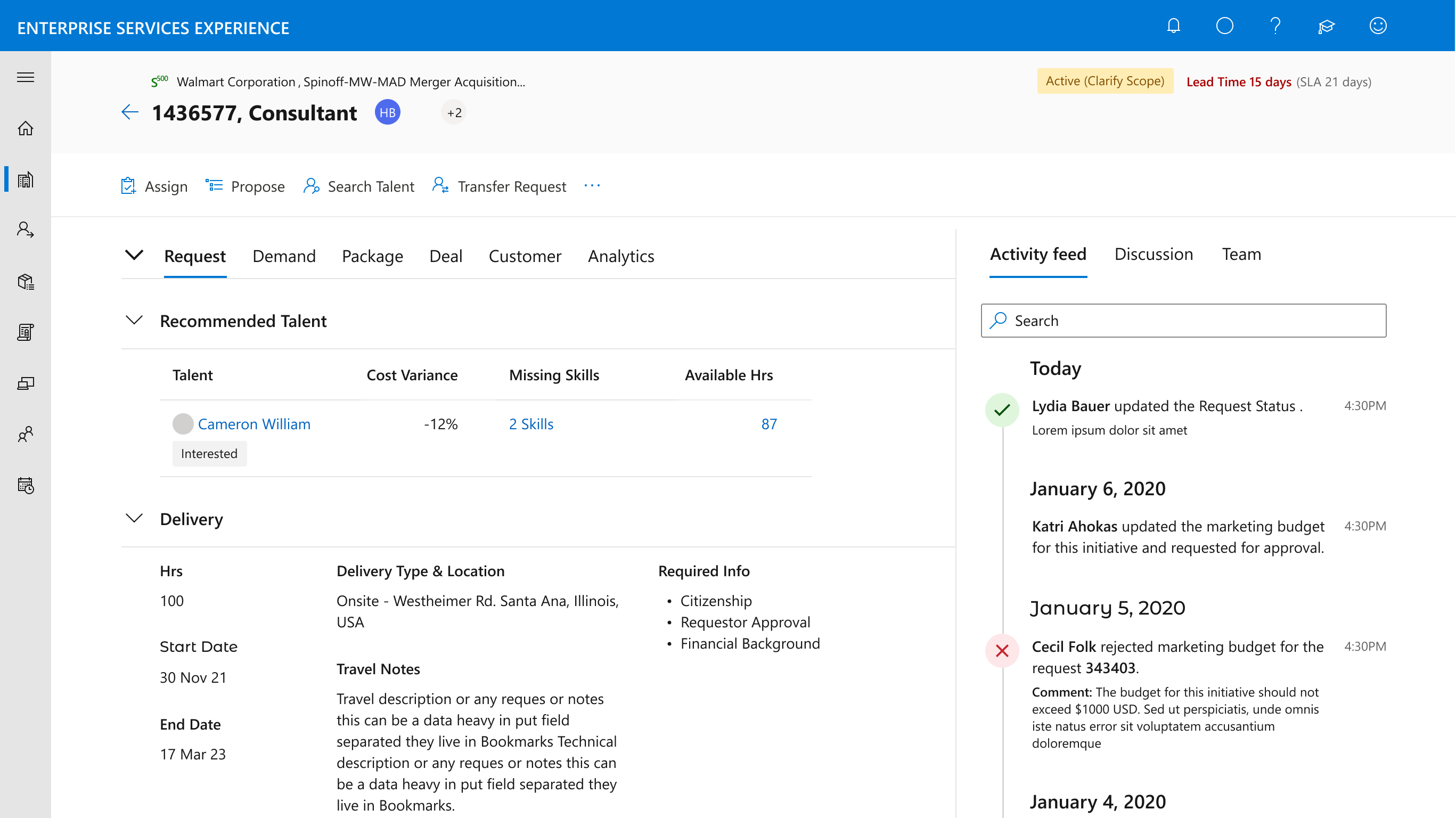
Single request detail page
A dedicated page surfaces all relevant context, history, and actions for each request, replacing the constant switching between tools, tabs, and documents that defined the old workflow.
- Full request history and status timeline
- Contextual actions based on request state
- Linked resources, attachments, and conversations
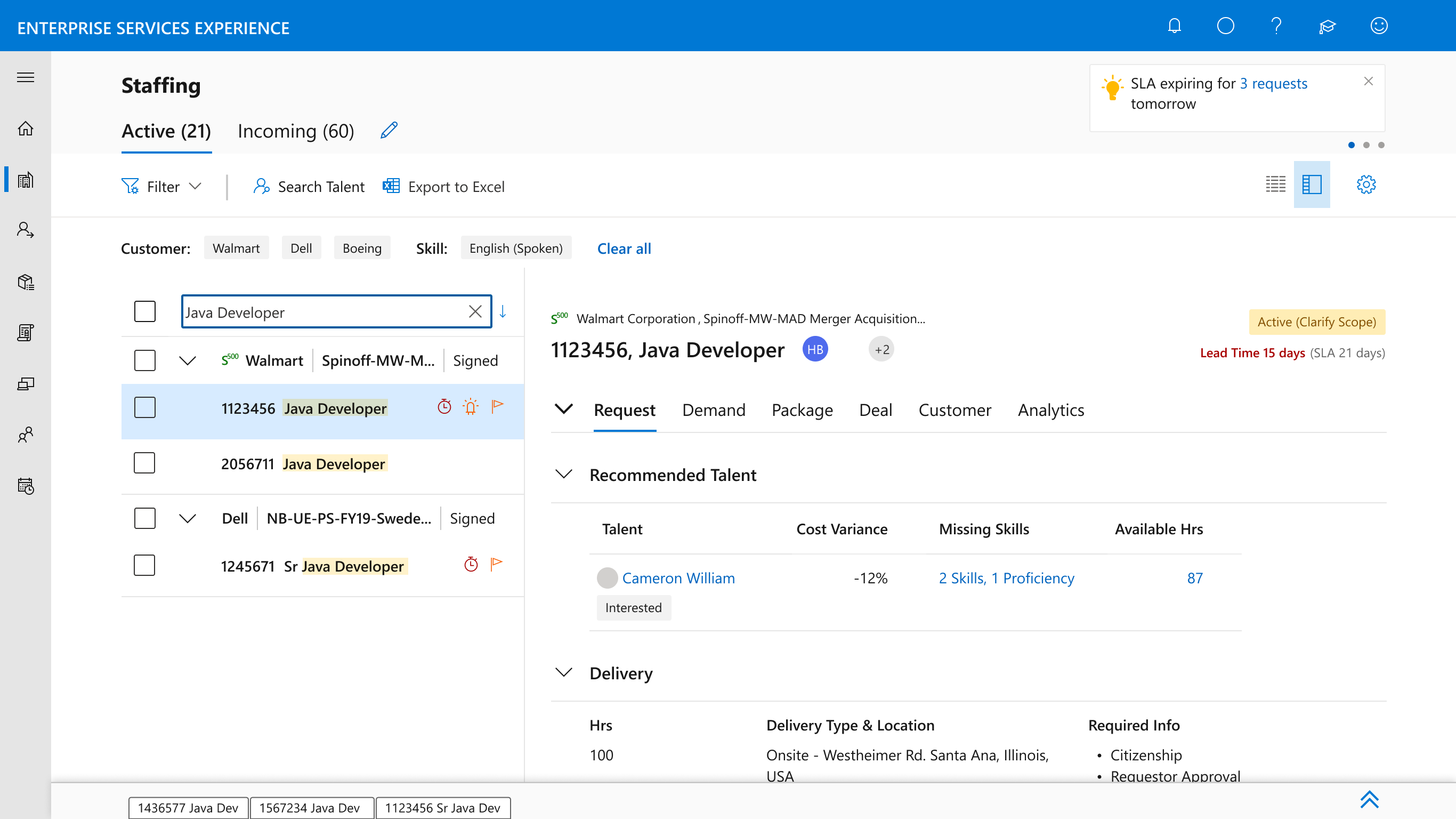
Multi-tab workflow
Requests open in new tabs so managers can work on several items in parallel. A small detail with outsized impact: most managers juggle 5–10 active requests at any time.
- Open multiple requests simultaneously
- Persistent tab state across sessions
- Quick-switching between active items
A scalable component library.
Built on Microsoft Fluent UI, the workbench extends the system with custom patterns tailored to staffing workflows. Components were documented and contributed back for reuse across other internal enterprise tools.
Consistent navigation and quick access to key actions across every view.
Narrow requests by context, status, or priority with composable rules.
Fast discovery of specific requests, projects, or data points system-wide.
Flexible prioritization by workload, timelines, urgency, or custom logic.
User-level control over preferences, defaults, and display configurations.
A dedicated space for priority requests and follow-ups, persistent across sessions.
Measurable change at enterprise scale.
The Resource Manager Workbench shipped into production, serving over a thousand Resource Managers globally. Adoption was supported by close partnership with PMs, engineers, and the Fluent UI team.
The workbench finally treats Resource Managers like the
strategic operators they are, not data-entry clerks.
Where the workbench is headed.
AI-assisted planning
The platform's data layer makes it well-positioned for AI: predictive staffing recommendations, automated capacity forecasting, and surfacing risks before they become blockers. The foundation was built with this evolution in mind.
Beyond staffing
The patterns developed here (flexible request workflows, layered detail views, configurable filtering) are reusable across other enterprise planning contexts. The investment compounds beyond the original brief.
Reflections on designing at this scale.
25+ interviews weren't just discovery: they became the reference point throughout. Every contested design call was resolved by going back to the research, which kept the team aligned without slowing decisions.
Building on the existing design system meant spending energy on novel patterns specific to staffing, not reinventing primitives. It sped up engineering and ensured visual consistency with the broader Microsoft ecosystem.
Working across designers, PMs, engineers, and stakeholders in different time zones required structured communication. Async-first design reviews and detailed decision documentation became as important as the design work itself.
Managers had genuinely different mental models for how they organized work. Giving them flexibility (without fragmenting the experience or breaking the data model) required careful tradeoffs throughout.
The Resource Manager Workbench wasn't a screen-design project: it was a systems-design project that happened to surface through screens. The most valuable work was structural: the right abstractions, the right defaults, the right places to invest in flexibility. The visual layer was the easy part once the system was right.